
I remember the exact moment my stomach dropped.
I was testing a new AI workflow to speed up a client proposal. Nothing fancy—just restructuring a few paragraphs. Then I realized what I’d done. I had pasted a real client email. Names. Internal context. Pricing logic. All of it.
That’s when it hit me: AI tools don’t create data risk. People do.
If you’re using tools like ChatGPT or Claude at work—or your team is—you’re already past the point of asking whether to use AI. In 2026, the real question is how to use these multimodal models without leaking sensitive business data into the public training pool.
This article is about AI data privacy for businesses, written from the trenches. I’ve tested these tools in real workflows, made mistakes, and built guardrails that actually work. No legal jargon. No fear-mongering. Just practical guidance you can use today.
Why Businesses Are Nervous About AI Tools (And They Should Be)
The Silent Risk: “The Shadow AI”
Here’s what I see happening inside companies every week:
- A marketer pastes a client brief into ChatGPT for a quick summary.
- A founder drops a draft contract into Claude for “legal cleanup.”
- A developer shares proprietary logic with GPT-5 to debug a legacy system.
- An ops manager uploads internal SOPs to create a custom GPT.
None of this feels reckless in the moment. It feels efficient. But efficiency without boundaries is how data leaks happen—quietly, unintentionally, and at scale. In 2026, “Shadow AI” (employees using personal accounts for work tasks) has become the #1 threat to corporate IP.
My First ‘Oh No’ Moment With ChatGPT
That client email I mentioned? I caught it fast and deleted the chat, but the realization stuck with me: AI tools don’t warn you when you’re about to overshare. There’s no pop-up that says, “Hey, this looks like confidential company data.” That responsibility sits with you—and your systems.
How ChatGPT and Claude Actually Handle Your Data in 2026
What Happens When You Paste Business Data?
Let’s simplify this. When you paste text into ChatGPT or Claude, three things happen:
- Processing: Your input is sent to the model to generate a response.
- Retention: The system temporarily stores the interaction for your history.
- Training: Depending on your plan (Free vs. Team/Enterprise), your data may be reviewed by human trainers or used to improve future versions of the model.
Key Differences: ChatGPT vs. Claude (2026 Update)
From my hands-on testing of the latest versions:
- ChatGPT (OpenAI): With the rollout of the GPT-5 family, OpenAI has made “Temporary Chats” more accessible. However, personal accounts still default to using your data for training unless you manually opt-out in the “Data Controls” menu.
- Claude (Anthropic): Claude continues to lead in “Safety by Design.” Their Constitutional AI framework is more conservative, and their “Artifacts” window allows you to view and edit code or docs in a sandbox, which feels more contained.
Business Data Privacy Comparison Table
| Feature | ChatGPT (OpenAI) | Claude (Anthropic) |
| Default Training | Yes (on Free/Plus) | More Restrictive |
| Enterprise Privacy | SOC 2 Type 2 Compliant | High Compliance Focus |
| Data Retention | 30 days (even if training is off) | Varies by Plan |
| Opt-Out Controls | In Settings > Data Controls | In Settings > Privacy |
| 2026 Status | Best for Automation & Agents | Best for Long-Doc Analysis |
The Biggest Data Privacy Mistakes I See Companies Make
1. Treating AI Like Google Search
Search engines index the public web. AI tools process and learn from what you give them. If you wouldn’t paste something into a public Slack channel or a Facebook post, do not paste it into an AI prompt.
2. No Internal “AI Code of Conduct”
Most companies are in the “trust” phase: “We trust our team to use common sense.” That works until a tired employee pastes a payroll spreadsheet to find a formatting error. Without a one-page “Allowed/Not Allowed” list, your team is guessing.
3. Assuming ‘Free’ Means ‘Private’
In the software world, if the product is free, your data is often the currency. Free versions of ChatGPT and Claude are designed for consumer scale, not corporate secrets.
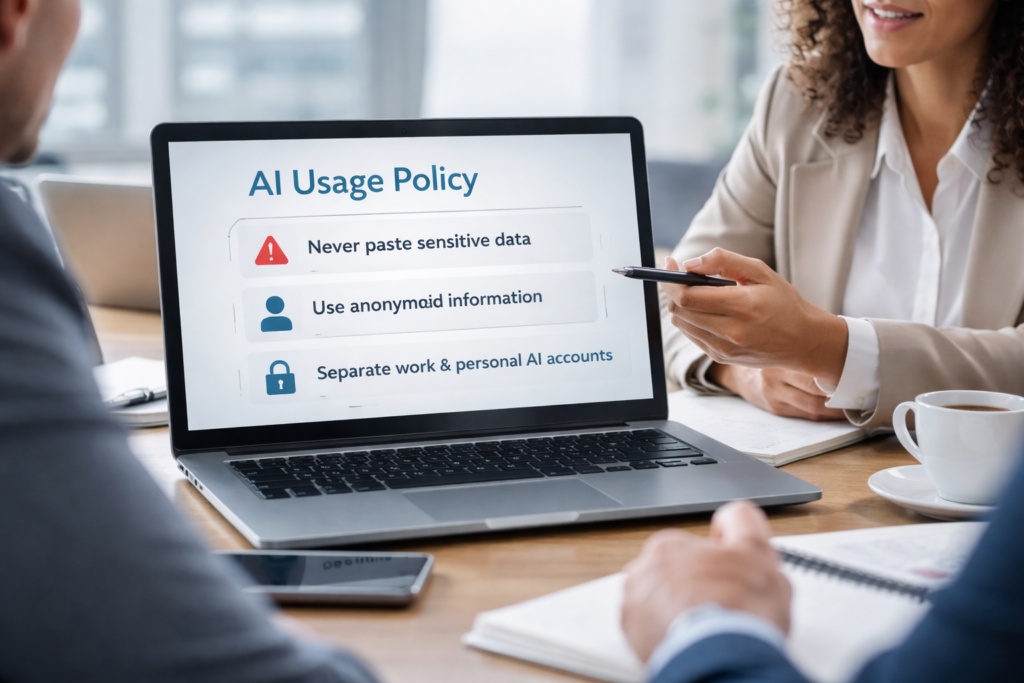
A 3-Step AI Privacy Framework for Your Team
Rule #1 — The “Never-Paste” Five
Make this a mandatory rule for everyone on your payroll. Never paste:
- PII: Personally Identifiable Information (Client names, home addresses, IDs).
- Financials: Revenue sheets, bank statements, or pricing logic.
- Credentials: API keys, passwords, or server logins.
- Legal Docs: Unsigned contracts or NDAs.
- IP: Proprietary algorithms or secret “special sauce” code.
Rule #2 — Use Abstraction (The “Ghost” Method)
Instead of giving the AI the real data, give it the structure.
- Risky Prompt: “Analyze this $50,000 contract for ABC Corp and find the termination clause.”
- Safe Prompt: “I am going to paste a generic service agreement. Help me identify standard language for a 30-day termination clause.”
Rule #3 — Enable “Temporary Chat” Mode
Both tools now offer versions of “Incognito” mode.
- In ChatGPT, use the “Temporary Chat” toggle.
- In Claude, ensure you are using a “Pro” or “Team” account where “Data Training” is toggled OFF in the admin console.
Pro-Tip: The One Setting Most Teams Miss
If you are using ChatGPT Team or Enterprise, your data is not used for training by default. However, if your team is still on the “Plus” ($20/mo) plan, you must go to Settings > Data Controls > Improve the model for everyone and turn it OFF. Document this step in your onboarding manual.
Should You Upgrade to an Enterprise Plan?
When it makes sense:
- You have more than 10 employees using AI daily.
- You handle medical (HIPAA), financial (FINRA), or legal data.
- Your client contracts include “No AI Training” clauses.
When it’s overkill:
- You are a solo creator or a tiny team (3-4 people) with high discipline.
- You only use AI for brainstorming generic content or social media captions.
Final Thoughts: Productivity vs. Protection
Stop asking: “Is ChatGPT safe?” Start asking: “Is our workflow designed to protect our data?”
AI isn’t going away. In 2026, it is the ultimate competitive advantage. But used casually, it’s a liability. You don’t need to be a cybersecurity expert to stay safe; you just need a system. Once you put these guardrails in place, you can stop worrying about data leaks and start focusing on the incredible ROI that AI provides.
