I attend more meetings than I’d like to admit. Client calls. Team syncs. Strategy discussions that should have been emails but weren’t. For years, I tried taking notes manually—and failed every single time. Either I missed key decisions, or I was so busy typing that I stopped listening.
That’s exactly why I started testing AI meeting assistants. Two names kept coming up everywhere: Fireflies.ai and Otter.ai. Both claim to be among the best AI meeting assistants in 2026, and both promise to “never let you forget a meeting again.”
I’ve used them in real, messy meetings. Here’s what actually matters—and the five things you must know before choosing one.
Why AI Meeting Assistants Are Exploding in 2026
Meetings didn’t slow down in 2026; they multiplied. Remote and hybrid work made calendars denser, and human attention has become the most expensive resource in any call. You’re expected to listen, think, and respond—all while remembering every detail.
That’s where AI meeting note-takers stepped in. But here’s the catch: Most people don’t need transcripts; they need clarity. If an AI tool gives you a wall of text but no direction, it hasn’t solved the problem.
How I Tested Fireflies.ai and Otter
I didn’t test these tools in a quiet demo environment. I ran both Fireflies.ai and Otter across Zoom team meetings, Google Meet client calls, and one chaotic brainstorming session with heavy cross-talk. I focused on transcription accuracy, speaker detection, and most importantly, the quality of the AI-generated summaries.
Fireflies.ai: The “Meeting Analyst”
Fireflies.ai feels like it was built for power users who live inside CRM tools and project management software.
Where Fireflies.ai Shines
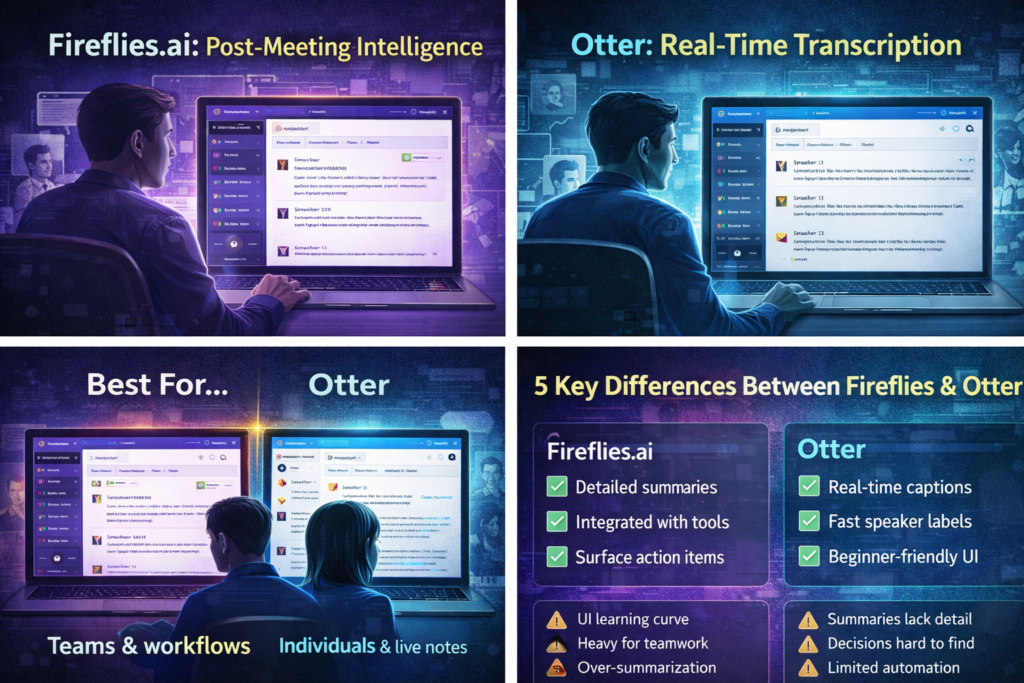
Fireflies is incredibly strong at Post-Meeting Intelligence. * The “Ask Fred” Feature: This is their AI chatbot. You can literally ask it, “What was the budget mentioned?” and it will find the exact second it was discussed.
- Automatic Workflow: It automatically pulls out action items and syncs them with tools like Slack or Trello.
- Topic Tracking: You can set it to alert you every time a specific word (like “Pricing” or “Competitor”) is mentioned.
Where It Falls Short
The interface can be overwhelming for a beginner. It feels like a complex dashboard. Also, if your meeting is very casual or unstructured, the AI sometimes struggles to find “action items” because there aren’t any.
Otter: The “Live Scribe”
Otter takes a different approach, focusing on the speed of the conversation as it happens.
Where Otter Excels
Otter is the king of Real-Time Transcription.
- Otter AI Chat: You can ask questions about the meeting while it is still happening.
- Speaker Identification: In my tests, Otter was slightly faster at recognizing when a new person started speaking, which is huge for interviews.
- Simplicity: The mobile app is fantastic. If you’re at a physical conference or an in-person lunch meeting, Otter is much easier to use than Fireflies.
Where It Falls Short
The post-meeting summaries in Otter feel a bit basic compared to Fireflies. It tells you what was said, but it doesn’t always tell you why it mattered for your business.
Read Also: Claude 3.5 Sonnet vs ChatGPT Plus: Which Is Actually Better
Side-by-Side Comparison: 2026 Edition
| Feature | Fireflies.ai | Otter.ai |
| Best For | Teams & Business Workflows | Individuals & Live Interviews |
| Summaries | Advanced & Action-Oriented | Simple & Concise |
| Live Captions | Good | Excellent |
| Integrations | 40+ (Slack, Salesforce, etc.) | Standard (Zoom, Meet, Teams) |
| Pricing | Better for Scaling Teams | Better for Solo Users |
The 5 Things You Must Know Before Choosing
1. Real-Time vs. Post-Meeting Value
Do you need to see the notes now (Otter) or do you need a perfectly formatted email report later (Fireflies)?
2. Searchability is the “Killer Feature”
A transcript you never read is useless. Fireflies allows you to search across years of meetings for one specific keyword. This is a game-changer for long-term projects.
3. Privacy and Security
In 2026, data privacy is non-negotiable. Both tools offer SOC 2 Type II compliance, but Fireflies offers more “Private Storage” options for enterprise users who are worried about their data training AI models.
4. The “AI Bot” Presence
Both tools join your meeting as a “participant” (e.g., “Fireflies Notetaker”). Some clients find this distracting. Make sure to check if your meeting culture allows for “AI Bots” before you invite one.
5. Actionable vs. Informational
Otter gives you information. Fireflies gives you a to-do list. Choose based on your job role.
Pro-Tip: Don’t judge these tools by the transcript accuracy alone—both are about 95% accurate now. Judge them by how much work you have to do after the meeting ends. If you’re still spending 20 minutes editing notes, the tool isn’t working for you.
My Final Verdict
If you are a Product Manager or Agency Owner dealing with complex workflows, Fireflies.ai is the superior choice because of its integrations.
If you are a Journalist, Student, or Consultant who needs fast, clean transcripts of interviews or lectures, Otter.ai is the winner for its simplicity and speed.
