The Tuesday Morning I Spent 4 Hours Writing the Same Email 6 Different Ways
Last Tuesday started like most Tuesdays: drowning in my inbox at 6:47 AM with a cold cup of coffee. I had six new customers who’d signed up over the weekend. All needed personalized onboarding emails. All bought slightly different packages. All required me to explain the same basic process with minor variations.
Customer one got the premium package—needs the full white-glove treatment. Customer two is DIY—keep it simple and empowering. Customer three asked specifically about integrations—address that upfront.
Four hours later, I’d written essentially the same email six different ways. My brain felt like mush. I still had an actual business to run.
That’s when I finally admitted something: I do this every single week. Not just onboarding emails—proposals, social media content, customer support responses, meeting follow-ups. The same tasks, slightly different contexts, over and over and over.
A friend had mentioned Custom GPTs a few weeks earlier. I’d dismissed it as “just ChatGPT with extra steps.” I was wrong. Custom GPTs aren’t regular ChatGPT. They’re specialized AI assistants you train once on your specific business, then use hundreds of times without re-explaining everything.
I built my first Custom GPT that afternoon. Three months later, I have five GPTs handling different parts of my business, and I’m saving over ten hours every week. Let me show you exactly which ones to build and how they’ll save you specific hours you can actually count.
Why Custom GPTs Hit Different Than Just Using ChatGPT
Here’s the problem with regular ChatGPT for business work: Every single time you use it, you’re starting from scratch. You explain your business context, describe your brand voice, and specify what you don’t want. It’s like hiring a new employee every day who knows nothing about your company.
Custom GPTs change the entire game. In 2026, they are:
- Pre-loaded with your business knowledge: You upload your company background, product descriptions, and brand guidelines. The GPT knows your business.
- Consistent tone and formatting: Because it’s trained on your specific voice, outputs sound like you, not like a generic robot.
- Process-Oriented: They remember your specific frameworks for proposals or onboarding sequences.
- Privacy-Ready: In 2026, OpenAI’s “Team” and “Enterprise” tiers ensure that the data you upload to your Custom GPT is not used to train the global model.
The Budget Reality: You need a paid subscription to create these.
- ChatGPT Plus: $20/mo (Standard for solo owners).
- ChatGPT Pro: $200/mo (Unlocks the o1-pro reasoning models for complex logic).
- ChatGPT Team: $30/mo per user (Best if you have 2+ employees).
Custom GPT #1: The Customer Onboarding Specialist
What This GPT Does: Creates personalized onboarding emails based on customer type and what they purchased. It adapts messaging for different service tiers and maintains your brand voice.
What I Loaded Into It:
- Company background and mission.
- Product and service descriptions (The GPT knows what customers actually bought).
- Sample onboarding emails that performed well.
- Brand voice guidelines (e.g., “Write like you’re texting a colleague. No jargon.”)
Real Example of Time Saved:
- Before: 45 minutes per custom onboarding sequence.
- After: 8 minutes.
- Weekly Saving: ~5 hours (based on 10 new customers).
Custom GPT #2: The Social Media Content Factory
What This GPT Does: Generates platform-specific content for LinkedIn, Instagram, and X (Twitter). It takes one core idea and repurposes it into multiple formats.
What I Loaded Into It:
- Past high-performing posts (The GPT learns what gets engagement).
- Content pillars and themes (The 5 topics you post about).
- Ideal customer avatar descriptions.
Real Example of Time Saved:
- Before: 6 hours per week agonizing over a blank screen.
- After: 1.5 hours.
- Weekly Saving: 4.5 hours.
Custom GPT #3: The Proposal & Quote Generator
What This GPT Does: Creates customized proposals based on client conversations. It includes relevant case studies and formats everything in your standard proposal structure.
What I Loaded Into It:
- Service packages and pricing structure.
- Project scope templates.
- Case studies and testimonials.
- Standard terms and conditions.
Real Example of Time Saved:
- Before: 90 minutes per proposal.
- After: 20 minutes.
- Weekly Saving: ~5 hours (based on 5 proposals).
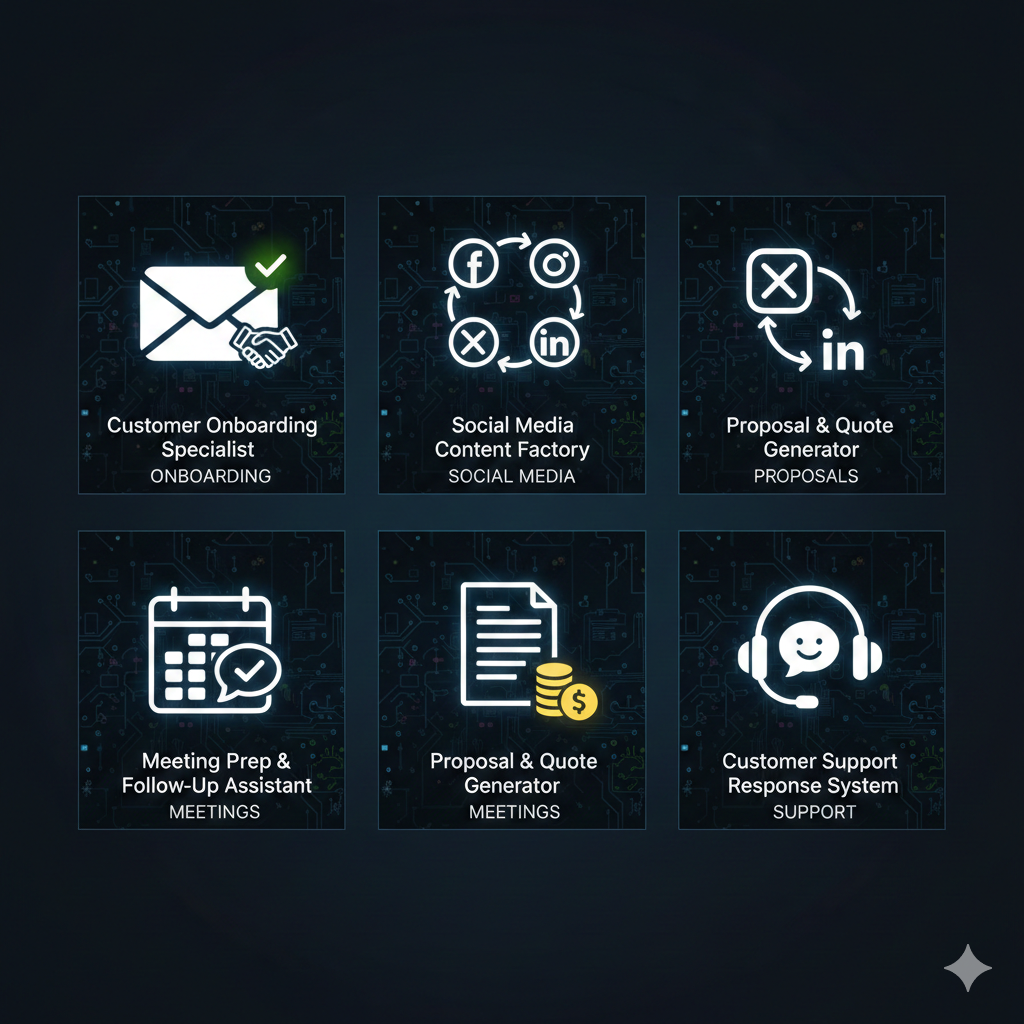
Custom GPT #4: The Meeting Prep & Follow-Up Assistant
What This GPT Does: Creates meeting agendas and generates pre-meeting research briefs on attendees. After the meeting, it takes your transcript and writes a follow-up email with clear action items.
What I Loaded Into It:
- Meeting frameworks (Sales call vs. Strategy session).
- Email templates for follow-ups.
- CRM structure requirements.
Real Example of Time Saved:
- Before: 30 mins prep/follow-up per meeting.
- After: 10 mins.
- Weekly Saving: 2.3 hours (based on 7 meetings).
Custom GPT #5: The Customer Support Response System
What This GPT Does: Answers common customer questions instantly with an empathetic, helpful tone. It knows when to escalate complex issues to you.
What I Loaded Into It:
- Complete FAQ database.
- Product documentation and “How-to” guides.
- Troubleshooting workflows.
Real Example of Time Saved:
- Before: 18 mins per support ticket.
- After: 4 mins.
- Weekly Saving: 4.2 hours (based on 18 tickets).
The Setup Process: What Actually Takes Time
Let’s be honest: building these takes an initial “Time Tax.”
- Onboarding Specialist: 2 hours.
- Social Media Factory: 1.5 hours.
- Proposal Generator: 2.5 hours.
- Meeting Assistant: 1 hour.
- Support System: 2 hours.Total Investment: ~9 hours (one-time).
The ROI is absurd. You spend 9 hours once to save 10+ hours every single week. Within 7 days, you’ve broken even.
Common Mistakes I Made (So You Can Skip Them)
- Mistake #1: The “Super GPT”: I tried to build one master GPT for everything. It was mediocre. Specialized GPTs (one for each task) are significantly more accurate.
- Mistake #2: Vague Instructions: Writing “be friendly” produces weird results. Writing “use contractions and keep paragraphs under 3 sentences” produces human results.
- Mistake #3: Forgetting Human Oversight: AI can still hallucinate. Always review a proposal or email before hitting send.
The Budget Breakdown (The Math of a Small Business Owner)
| Strategy | Monthly Cost | Weekly Hours Saved | Annual ROI |
| Manual Work | $0 | 0 | $0 |
| Hiring a VA | $500 – $1,500 | 10 – 20 | High (but expensive) |
| Custom GPTs | $20 (Plus) | 10 – 15 | 10,000%+ |
Start With Just One GPT This Week
Don’t try to build all five today. Start with the task you absolutely dread the most. For me, it was onboarding. For you, it might be social media.
This week’s action plan:
- Day 1: Track one repetitive task.
- Day 3: Build one Custom GPT for that task (Spend 2 hours).
- Day 7: Measure the time you saved.
Build the GPT. Reclaim your Tuesday mornings. Start this week.
